Free means finished
Full-resolution PNG and actual-size PDF exports are free. There is no account wall, watermark, or low-resolution trap.
Free · no signup · no watermark
Make a label that looks good on screen, fits the bottle in your hand, and prints at the size you chose. Start with an editable design, preview it on a bottle, fix common print problems, and take home the full-resolution files.
Full-resolution PNG
Actual-size Letter or A4 PDF
Browser-local autosave
Mobile guided editing
Start here—no design skills needed
Choose what you are labeling, replace four useful details, and compare three real editable designs. Your chosen version opens in the full bottle label maker exactly as you see it here.
The complete path
General design tools stop at artwork. This editor keeps physical size, visual proofing, print readiness, label variants, and the final sheet in the same project.
Start with a beer, wine, sauce, jar, can, water-bottle, or custom profile. Use a familiar preset or enter the width and height you measured on the container.
Compare bottle label sizesPick an editable template and replace meaningful fields such as the product name, style, vintage, ABV, volume, date, or message. Try coordinated palettes and type pairings without losing your words.
Browse every label templateDrop in a logo or artwork, add text, badges, frames, dividers, patterns, QR codes, or a retail barcode, then use snapping, alignment, crop, filters, curved text, and precise object controls when you need them.
Follow the complete design walkthroughSee the current design on a beer, water, wine, hot-sauce, or jar container—or place it directly on your own bottle photo without uploading that photo to us. Compare white matte, white gloss, kraft, and clear-film approximations, then save or share the mockup.
See how bottle label mockups workReview boundaries, safe-area placement, text contrast and size, image resolution, and code scannability. The editor can apply safe fixes together, and one Undo restores the entire pass.
Save a full-resolution PNG or arrange one design—or a whole label set—on an actual-size US Letter or A4 PDF. Add crop guides and bleed, and make a free scale-test page before using label stock.
Follow the home-printing guideWhy makers stay here
Full-resolution PNG and actual-size PDF exports are free. There is no account wall, watermark, or low-resolution trap.
Real inch dimensions, trim shapes, safe areas, image-resolution checks, edge bleed, sheet previews, and a measurable printer scale test stay connected to the design.
Edit named template fields on phone or desktop, then reveal freeform typography, graphics, artwork, and arrangement controls when you want them.
Create matching back labels, duplicate flavors and sizes, personalize up to 100 rows from a spreadsheet, and keep each result editable.
Named projects and imported artwork stay in this browser profile, with no account or cloud sync. Download a separate editable .blm backup for work you want to carry outside browser storage; private proof photos disappear when the proof panel closes.
Bottle mockups help compare placement and common stock directions without pretending to predict exact curvature, adhesion, material behavior, or printed color. A test on the real stock remains the final check.
Return to a named project in the same browser profile, or download a .blm backup to move editable work to another device. Browser cleanup or private browsing can remove local projects. See how saving and restoring projects works →
Start with something good
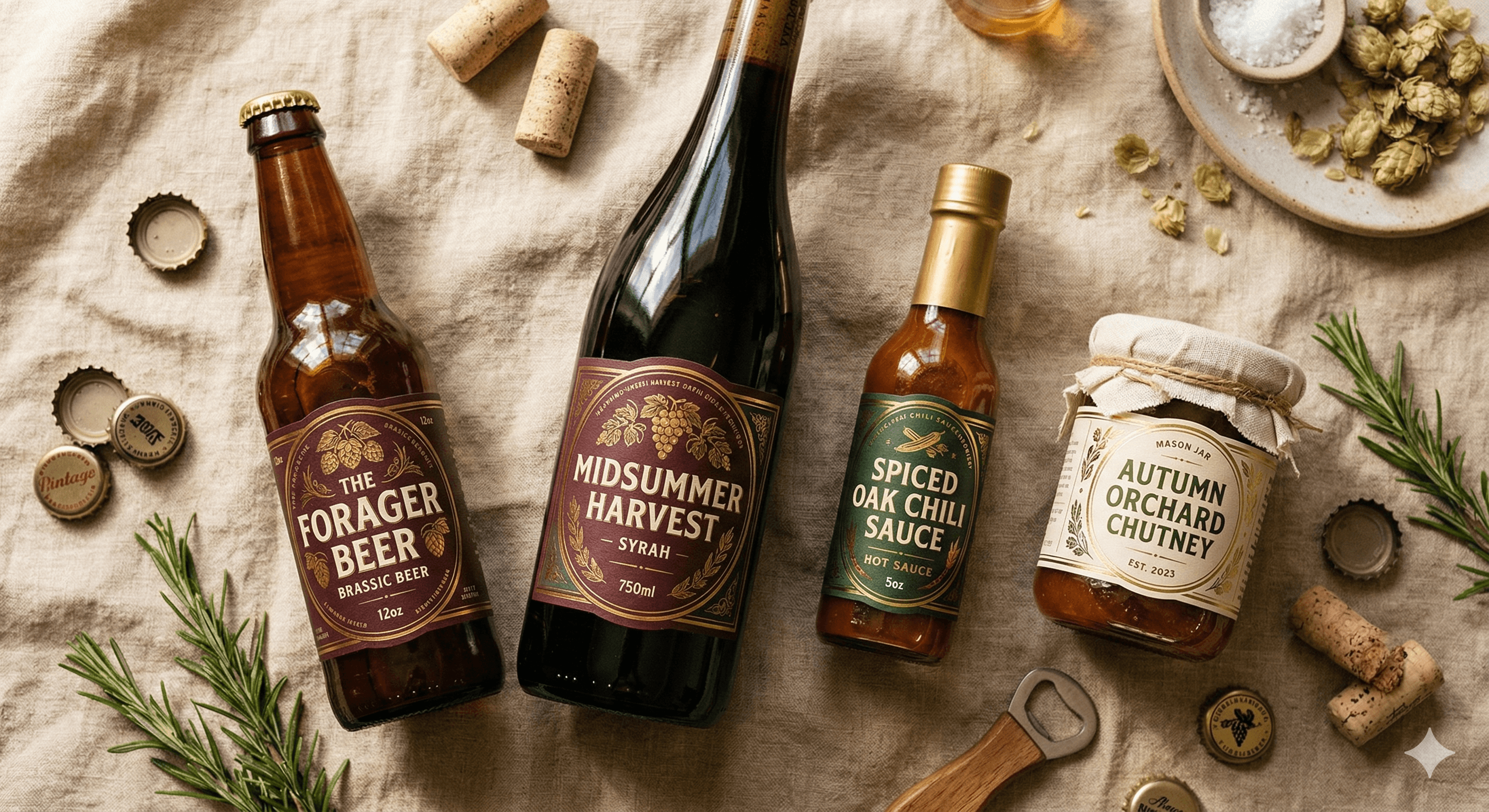
These are editable systems, not flattened pictures. Replace the guided content, change the look, rearrange any object, and keep the physical label size attached.
Beer
Hot Sauce
Beer · Circle
Wine · Oval
Wedding · Circle
Water
Beer
Beer
Beer
Build a readable beer name, style, ABV, volume, batch identity, and tasting note around a measured bottle panel.
Make a beer labelCenter the event or organization on a measured wide wrap, carry pattern toward the seam, and test the chosen stock against condensation.
Make a water bottle labelCreate elegant front labels and coordinated information-rich back labels for gifts, cellars, and small batches.
Make a wine labelCombine bold flavor identity with practical details, imported brand art, QR codes, and print checks for narrow containers.
Make a hot-sauce labelPersonalize names, dates, table numbers, and messages, then make editable guest or bottle variants from a simple list.
Make wedding bottle labelsNeed an information-rich companion panel? Use the front-and-back bottle label workflow to divide the content, inherit the visual system, and print both sides from one editable set.
Straight answers
The editor removes a lot of guesswork, but a physical label still deserves one measured, plain-paper test.
Your bottle is the brief
Open the editor with no account, build a complete label, and keep every useful export for free.
Open the free bottle label maker