Free · no signup · no watermark
Free water bottle label maker
Make an editable wrap for the bottle actually on your table. Start from measured dimensions, personalize a bottle-specific design, preview it on clear plastic, run the print checks, and export the finished label free.
- 3 editable wrap designs
- Water-bottle proof
- Actual-size PDF
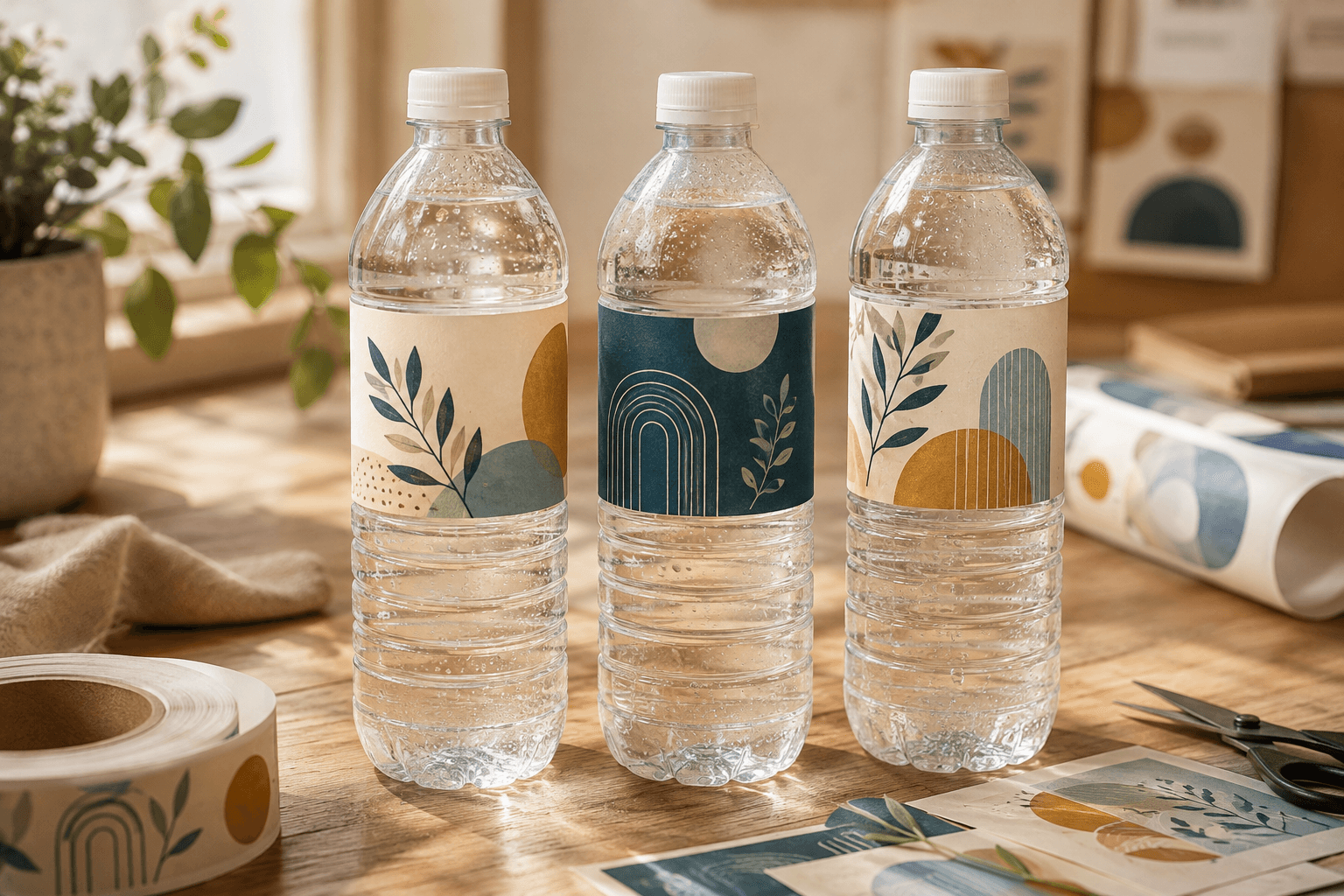
Editable water bottle label templates
Each design opens as a real 8 × 2-inch wrap with the important copy centered on the presentation face. Change the dimensions if your measured bottle says otherwise.
Measure, then choose
Water bottle label sizes are examples, not promises.
Search results often present one “standard” dimension, but current template and stock suppliers publish several. The useful conclusion is not that one source is wrong—it is that bottle channels, ridges, and circumferences differ. Width runs around the bottle; height must stay on the smooth panel.
8" × 2"
OnlineLabels ST5585
A published blank-sheet template whose listed common uses include water bottle labels. This is the editor's convenient wrap starting point—not a fit guarantee.
Check the published source for OnlineLabels ST5585 ↗9¾" × 1¼"
Avery water bottle templates
One of several wraparound dimensions Avery publishes alongside shorter rectangle and square water-bottle options.
Check the published source for Avery water bottle templates ↗8¼" × 1¾" or 8" × 2⅛"
BottleYourBrand fit guide
Two sizes that one specialist offers for popular store bottles; its own guide warns that bottle shapes can vary by brand and region.
Check the published source for BottleYourBrand fit guide ↗Quick paper test: cut a strip at the proposed width and height, wrap it around one empty bottle, and mark the front-facing area plus the seam. That ten-minute check is more useful than trusting a generic size chart.
Design the cylinder
One flat file has a front view and a seam.
A wide wrap is not a tiny poster. Someone usually sees only the center section at first, while the ends turn away and meet behind the bottle. Put the event or organization, main message, and any code inside that front-facing center. Let color and pattern travel around the sides.
If an 8-inch wrap goes around an 8.25-inch measured circumference, only a quarter inch remains between its ends. Application tolerance matters: make the seam intentional and keep important objects well clear of it.
Front-facing center
GATHER & GROW
Main message · date · useful detail
Inside the editor
From the bottle in your hand to a tested print
- 01
Choose the exact bottles first
Do not design from fluid volume alone. Buy or obtain the same bottle that will be used at the event, including the same regional package when possible.
- 02
Measure the usable wrap
Wrap a paper strip around the label channel to find circumference, then measure only the smooth height between ridges or shoulder curves. Decide whether the ends should meet, leave a gap, or overlap deliberately.
- 03
Start with Water bottle
Open the editor's Water bottle setup. Use the 8 × 2-inch starter only if it matches your paper test; otherwise choose custom measured dimensions before selecting a design.
- 04
Keep the message on the front face
Each water template centers the event or organization, headline, date, and detail. Pattern continues toward the ends, where curvature and the application seam make small copy harder to read.
- 05
Proof, print, and chill-test one
Open Bottle to inspect the wrap on a water bottle, review Print check, then print one plain-paper proof at 100%. If bottles will be cold, test the chosen adhesive and material against condensation before the full run.
Built for more than one kind of gathering
Weddings and showers
Coordinate the wrap with invitations, table stationery, names, dates, and a short thank-you.
Birthdays and family events
Put the honoree and occasion on the visible face; use pattern around the sides instead of repeating tiny copy.
Teams and school events
Build one clear identity, then duplicate the label for groups, tables, years, or participant names.
Organizations and gatherings
Upload a logo, add a useful URL or QR code, and keep the main message readable from the front.
Making many versions? Keep them in one label set with + Flavor or variation, or use spreadsheet personalization for names, table numbers, and sequences. Then assign quantities to the whole set in one print-sheet run.
Before the full run
Water bottle label questions
The design is free. The fit still deserves one real bottle, one paper strip, and one condensation test.
Selling bottled water in the United States? The FDA's bottled-water overview explains that bottled-water products and their labeling are regulated. Treat it as a starting point, then verify every rule that applies to your product and market.
- What is the standard water bottle label size?
- There is no single safe universal size. Published examples range from narrow 9¾ × 1¼-inch wraps to 8 × 2-inch and 8 × 2⅛-inch formats, and bottles sold under the same volume can use different ridges and label channels. Measure the exact bottle and test a paper strip before choosing stock.
- Can I change the 8 × 2-inch starting size?
- Yes. Choose another listed size or enter a custom width and height from 0.5 to 12 inches. The editor preserves those physical dimensions for full-resolution PNG and actual-size Letter or A4 print-sheet output.
- Does the editor show my label on a water bottle?
- Yes. Water designs open with a dedicated water-bottle proof and starting measurements. The mockup is a visual placement aid, not a calibrated simulation of your exact bottle, plastic, adhesive, or print color.
- Do water bottle labels need to be waterproof?
- Labels for chilled bottles need a face material, ink system, and adhesive that can tolerate condensation. “Waterproof” can describe different parts of that system, so check the stock manufacturer's printer compatibility and test a finished bottle while cold and wet.
- Can I add a logo or QR code?
- Yes. Upload PNG, JPEG, WebP, or checked SVG artwork, or add a QR code for a web address. Keep codes away from the wrap seam and strong curvature, then scan the final printed bottle with more than one phone.
- Can I use these labels on bottled water I sell?
- The editor creates artwork; it does not approve product labeling or relabeling. Commercial bottled water is regulated, and requirements depend on where and how it is sold. Verify the current rules, required statements, bottle integrity, and label material with the appropriate authorities and suppliers.
Bottle first. Label second.
Make the wrap fit the moment—and the bottle.
Choose a design, replace the useful words, check the water-bottle proof, and download the complete print-ready result without signup or a watermark.
Create water bottle labels